
How to choose a wireless nurse call kit for a small facility
Compare Call 4, ZoneCall 16, and ZoneCall 32 by resident capacity, receiver alerts, wiring needs, and room-by-room testing.
Size the kit to your resident count
We offer three pre-programmed kits: Call 4 (4 pendants), ZoneCall 16 (16 pendants), and ZoneCall 32 (32 pendants). Count how many residents need a call button today and leave a small buffer for new admissions or spares. Each product page lists the exact pendants, receiver, and power adapter in the box.
Know what the receiver displays
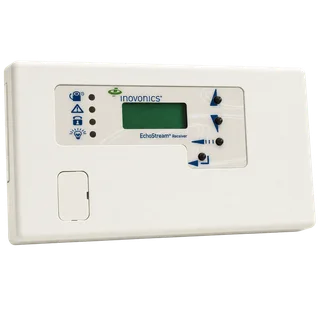
Each receiver handles call identification differently. Call 4 lights up the numbered output for the pendant that triggered. ZoneCall 16 adds a call indicator light and an event log showing which specific pendant called. ZoneCall 32 organizes 32 pendants into eight zones of four—lighting up the active zone while logging the exact pendant number. Keep in mind that none of these standalone kits display the physical room a call came from.
Plan how staff will hear or see alerts
A receiver sitting at a desk only helps if caregivers notice it right away. All three kits provide 12 V outputs so an installer can wire up call lights, strobes, or audible buzzers. Standalone kits do not include built-in paging, SMS, or phone alerts—check the "Alerts" and "You'll also need" sections on each kit page before ordering.
Check power and installation requirements
Every kit ships with a 12 V plug-in power adapter and full installation paperwork. Have your installer follow the supplied wiring diagrams when connecting external call lights or buzzers rather than substituting adapters or components solely by voltage rating.
Test signal path in your actual building
Interior walls, concrete floors, and mechanical rooms all affect wireless range. Pendant count has no bearing on radio distance. Once mounted, walk every room and bathroom where residents go and test each pendant per the installation guide. Larger footprints and multi-story buildings often require an Inovonics repeater—verify placement during your site test.
Think ahead to expansion
You can run multiple Call 4 kits side by side to cover 8, 12, or more residents. Because each receiver operates independently, label pendants clearly and establish a simple routine so staff know which receiver panel to check and reset as you add units.
Review the full install guide before rollout
Pre-paired kits save hours of programming, but on-site mounting, alert wiring, and range testing are still essential. Compare the three kits below and read the PDF installation guide for the system that fits your building.